GOOGLE CHROMEBOOK PLUS · PURCHASE PATH
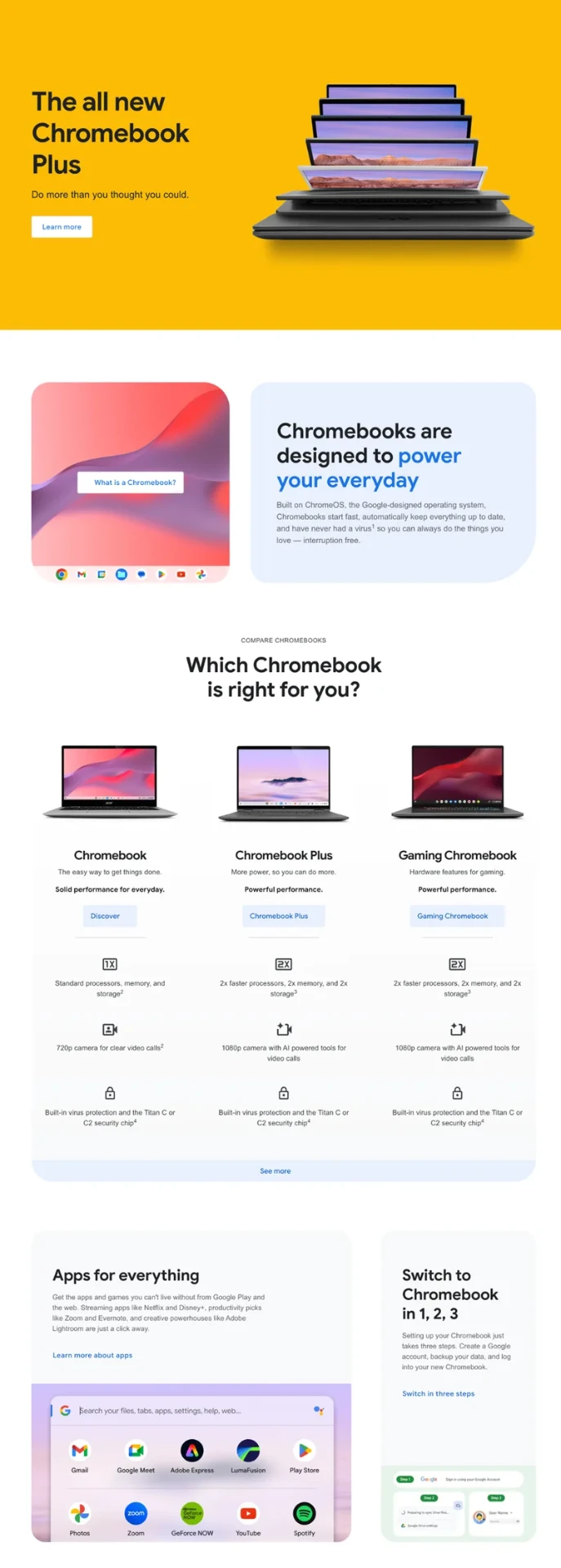
The comparison that opened the Chromebook Plus purchase path
From a new product tier with no clear way to decide which model suits your needs, to a comparison that worked in every market, on every screen size, and with a screen reader.
Problem
Chromebook Plus was a new tier built by several manufacturers to a shared spec. Google didn't sell it directly, and the site's conversion was an outbound click to a retailer or manufacturer, so visitors needed a way to compare their options before clicking out to buy. The comparison also had to hold up across 15 markets, where the number of device categories varied by region and some models didn't have every feature.
Strategy
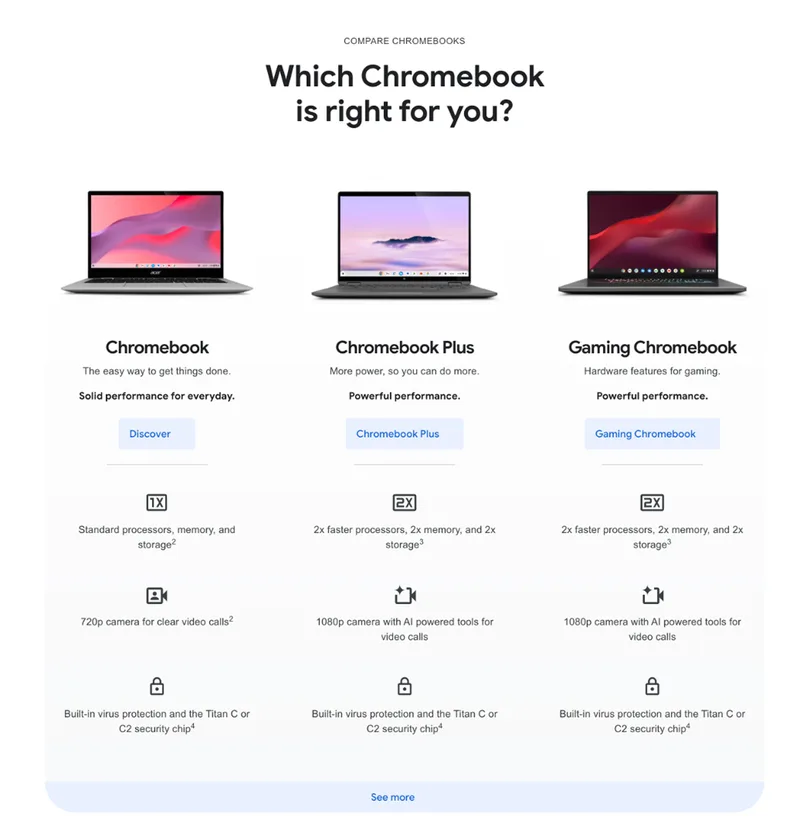
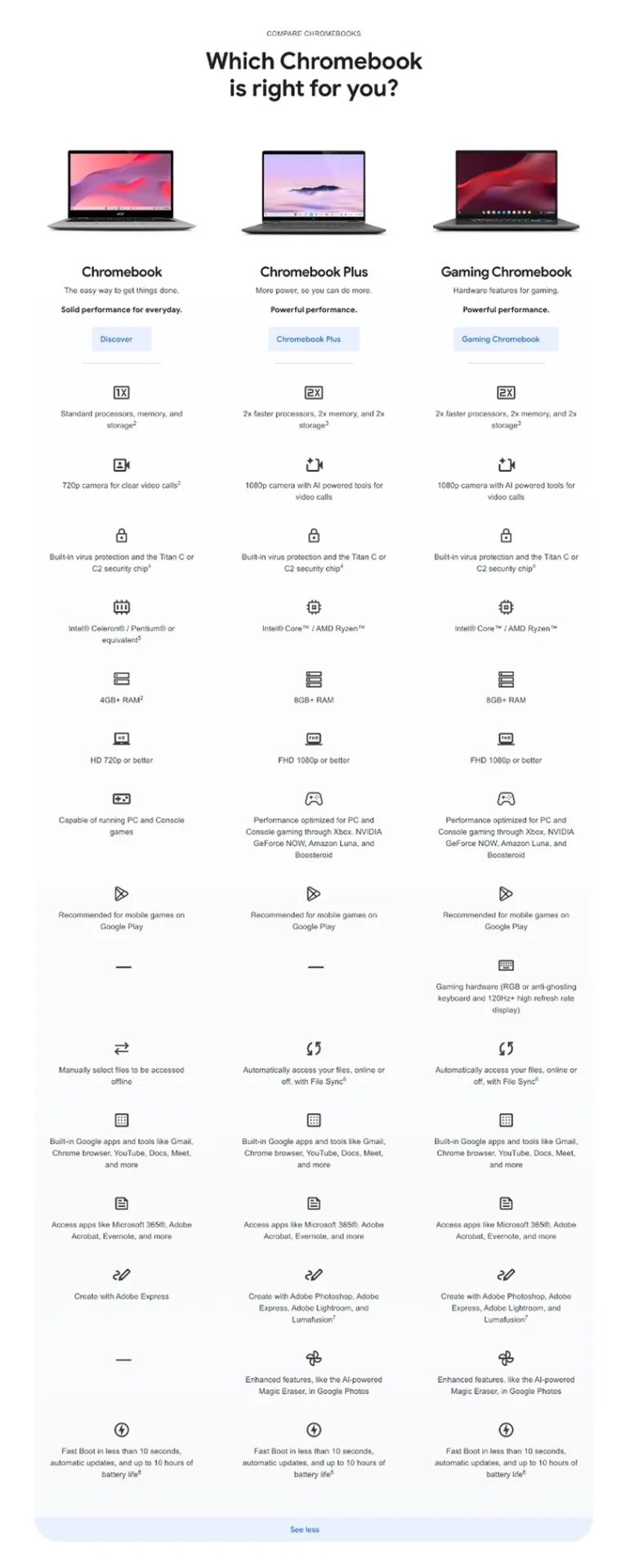
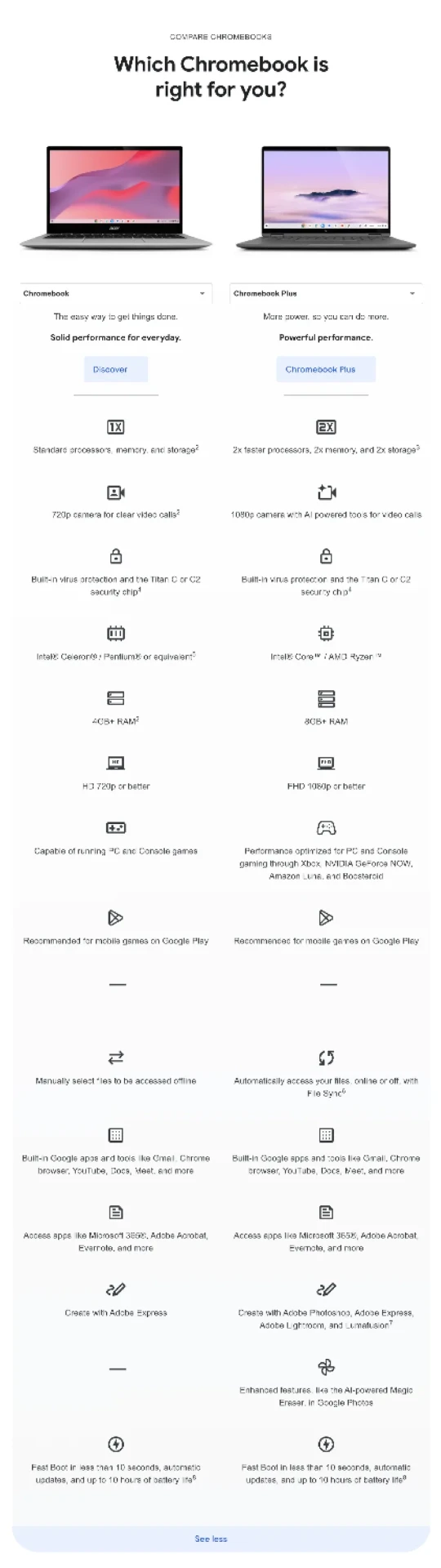
The team had decided the page needed a comparison table to help visitors choose among the two or three device categories in their market, then narrow to models and finally to product detail pages. How it would work was mine to decide: build it to handle whatever each market's data looked like, make it navigable by screen reader (something I raised early, so it was part of the build from the start rather than a retrofit), make it work on mobile, and collapse the detail behind a "See more" button, so visitors who already knew what they wanted weren't buried in specs they didn't need. The measures were engagement and retailer and manufacturer partner clicks.
Execution
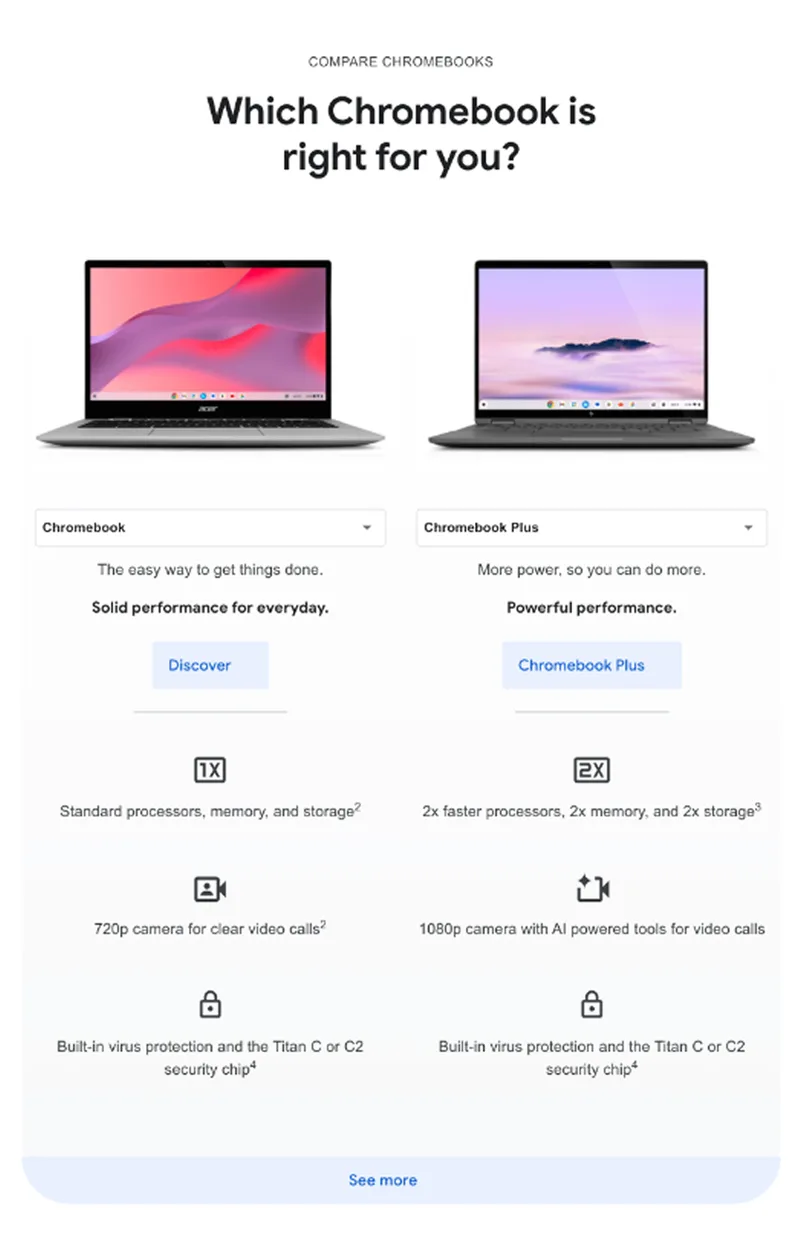
I designed the table's structure to accommodate changing numbers of device categories across regions. A simple dash was used for cases where a model didn’t include a certain feature, so the comparison wasn’t disrupted. I built in screen reader navigation and narrowed the table on mobile to display two categories side by side, each chosen from a dropdown, so the comparison stayed readable at phone width. I added the "See more" expansion button, and instrumented GA4 tracking on all comparison events. I then tested my work through the team's automated QA, working with design, product marketing, localization, and analytics across all 15 markets.
Results
Engagement and partner clicks rose sharply in the first month, the launch had zero post-launch defects, and it earned a Webby Official Honoree for Best Visual Design – Function, a Webby Best Practices nomination, and Creativepool Bronze in Web.